Appearance
Events
Events are dated happenings at your shelter — adoption days, fundraisers, volunteer orientations — that you want everyone to see. Events you create here appear on the volunteer mobile app's home screen and calendar, so the whole team knows what's coming up.
The page also shows your scheduled group sessions (playgroups, meet-and-greets, dog testing) alongside events, so the whole calendar lives in one place. An updated phone app shows group sessions on its Calendar too, next to events; see Group sessions on the phone.
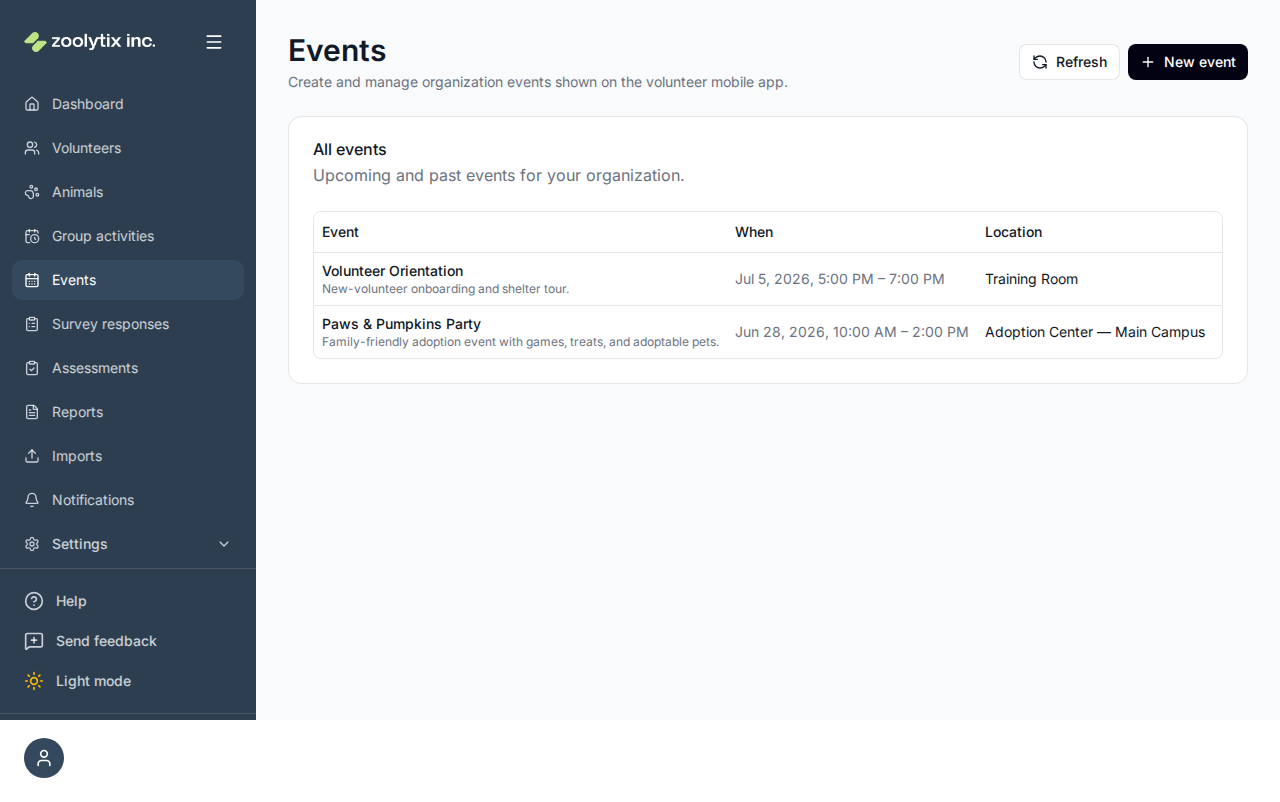
Who can use this page: staff and administrators create and manage events; volunteers see them in the mobile app.
Create an event
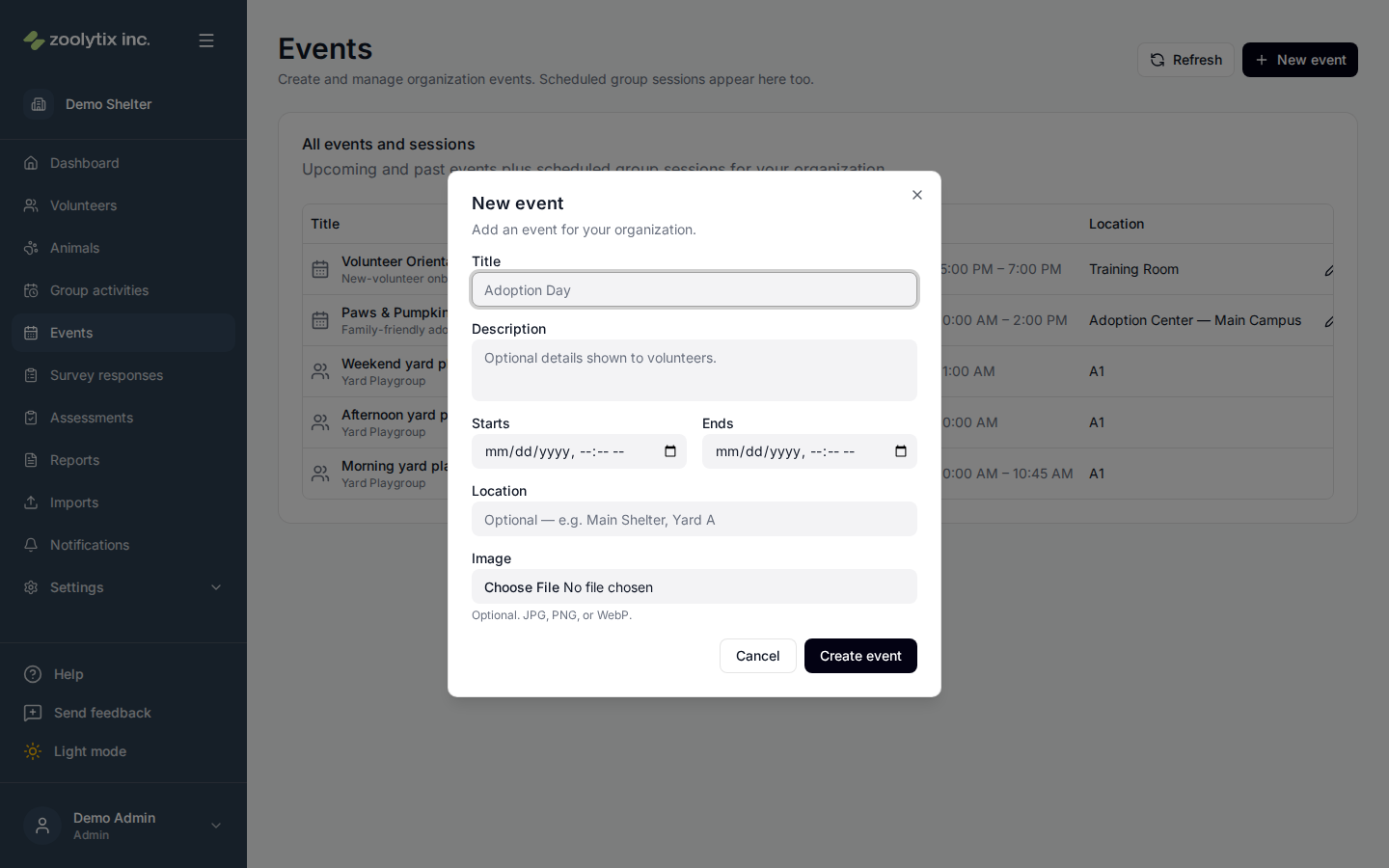
- Click New event.
- Give it a title, a date and time, and a location.
- Save. The event appears in the list and on the volunteer app.
To take an event off the calendar without losing its record, mark it inactive rather than deleting it.
Group sessions on the calendar
Group sessions scheduled on the Group activities page appear here automatically, marked with a Group session badge and their current status (scheduled, in progress, or completed). Nothing to set up — scheduling a session puts it on the calendar.
- Click the View session arrow on a session row to jump to it on the Group activities page (the row is highlighted there).
- Sessions are managed — started, edited, ended, or cancelled — from the Group activities page, not here.
- Cancelling a session removes it from this page; completed sessions stay visible as past entries, just like past events.
- Seeing sessions here requires permission to view group activities; without it the page shows events only.
Fields explained
No field-level help for this page.