Appearance
Volunteers
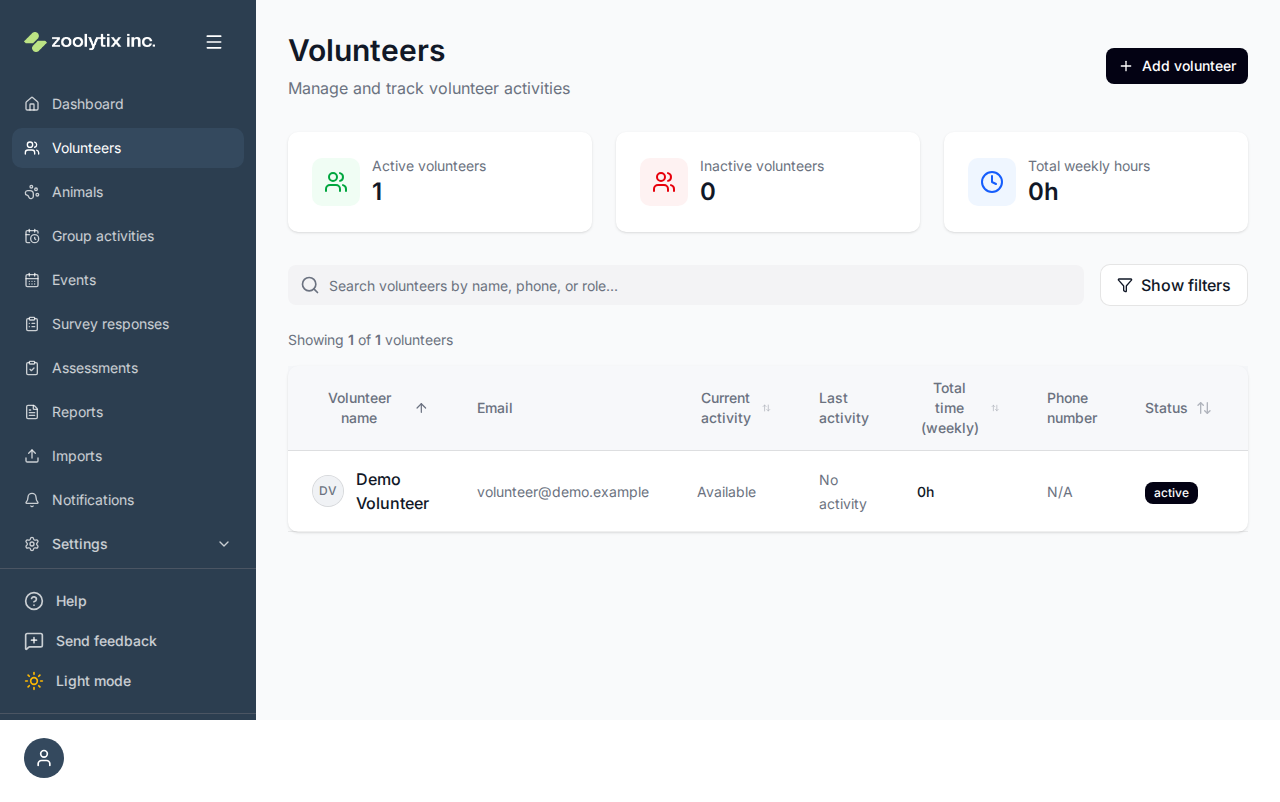
The Volunteers page lists the people who help at your shelter — volunteers and fosters — with a profile for each and tools to bring people on board.
Who can use this page: administrators (it requires permission to manage people, which staff don't have).
Volunteers, fosters, and users
A volunteer is a person with the volunteer role, and a foster is a volunteer who also fosters animals. Behind the scenes they're regular user accounts with a volunteer profile — so the same person can appear here and in Settings → Users. This page is the people-focused view: contact details, restrictions, and activity history. The Users page is the account-focused view: roles, access, and security.
Add a volunteer
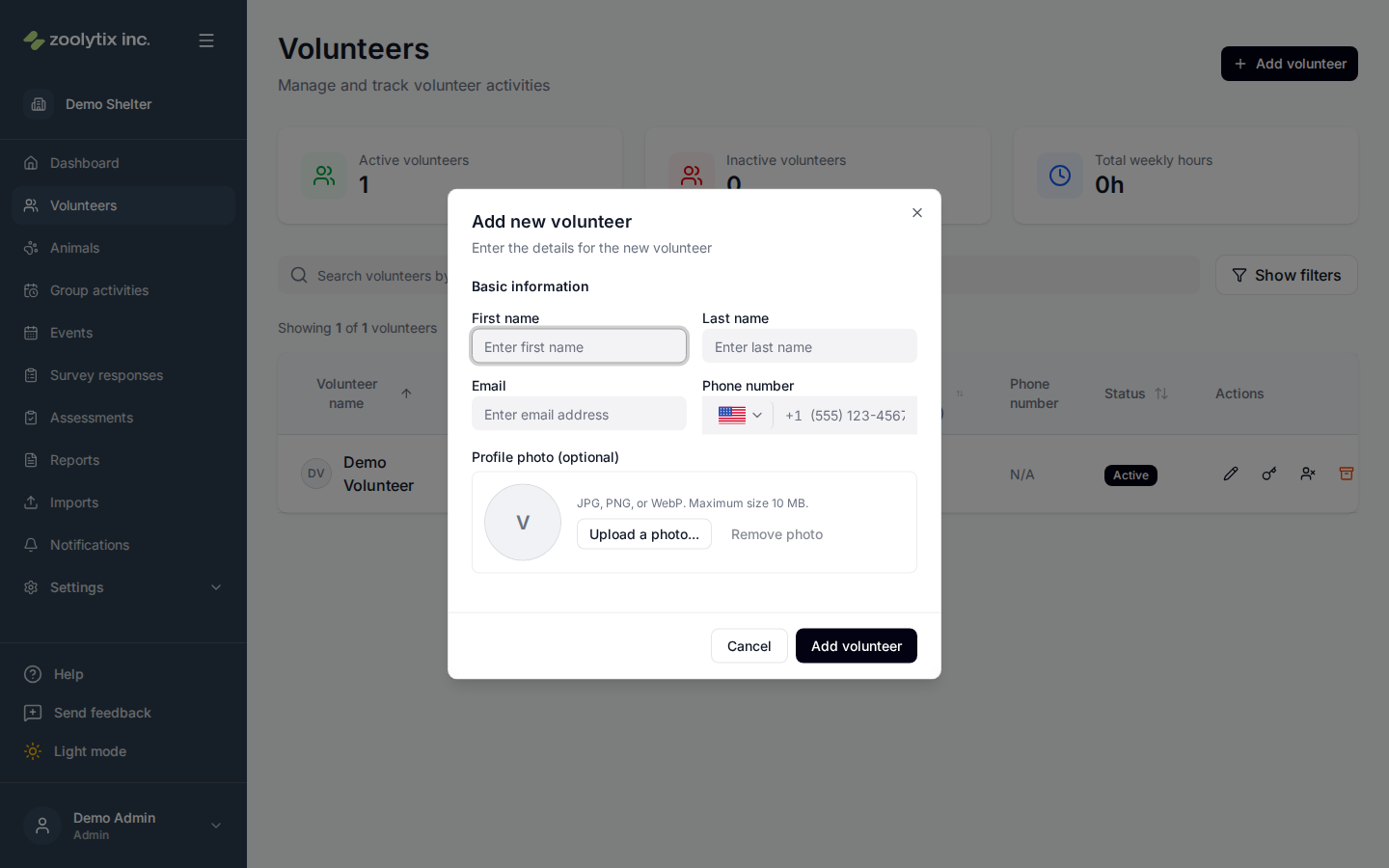
- Click Add volunteer and enter their name and contact details.
- Save. The volunteer is created with the volunteer role, and at once receives an email that names your shelter, with a link to set up their account (it lasts 72 hours). The email, and the setup page once they finish, point them to the ShelterSync phone app first — with App Store and Google Play links — and to signing in on the web second. Volunteers aren't given a password at creation: they set their own on the setup page, which also asks for a date of birth if you didn't enter one.
- If the link expires before they use it, or the email doesn't arrive, send a fresh one with Resend invite on their row, here or on the Users page. Until a volunteer has set up their account, their row here offers Resend invite in place of Reset password. To invite several people at once, select them on the Users page and use Bulk actions → Send invites. Their Invite status on the Users page shows whether the link is still pending or has expired.
To bring on a whole group at once, use the bulk import below instead.
Find a volunteer
Search by name and click a row to open the profile, which shows contact details, any restrictions (safety flags), and shift and activity history.
Bulk import volunteers
Onboarding many volunteers? Use Imports: choose the volunteers template, upload your spreadsheet, confirm the personal-data acknowledgement, and finish the wizard. The new volunteers appear here; when it's time to sign them in, send them invites from the Users page.
Edit a volunteer's details
A volunteer's name, email, phone and date of birth belong to their own account, which they may share with other shelters. Once they have set up their account, these show read-only when you edit them, with a note saying so. The volunteer changes them on their profile, all but the email. For the email, or if they can't do it themselves, Zoolytix support can change their name, email or phone at their request. You can still change their profile visibility and photo.
Before a volunteer has set up their account, you can usually still correct what was entered. If you correct their email while their invite is still open, the old link stops working and a new invite goes to the new address.
Mark inactive
Mark as inactive sets the volunteer's status at your shelter to inactive. Their account, their details and any other shelter they belong to are not affected. Mark as active sets them active at your shelter again. It does not switch on an account that is switched off (below).
Switched-off accounts
Some people's whole account is switched off, so they can't sign in at any shelter. Their row shows Account switched off instead of a status, and their page (opened from their name) shows it beside their status, with a note saying so. Only Zoolytix support can switch an account back on, so Mark as active and Mark as inactive aren't offered for them. Contact us if one should be switched back on.
These accounts are hidden unless you tick Show switched-off accounts in the filters, and they aren't counted as active or inactive volunteers.
A note on restrictions
ShelterSync never deletes a volunteer. If someone should stop having access, they're restricted (with a reason) rather than removed — so their history stays intact and they can be reinstated later.
Fields explained
| Field | What it means |
|---|---|
| Status | Whether the volunteer is active or restricted. Accounts are restricted, never deleted, so they can be reinstated. |
| Name, email, phone and date of birth | These belong to the volunteer's own account. Before they set up their account you can usually still correct them. After that they're read-only here: the volunteer changes them on their profile (all but the email), and Zoolytix support can change their name, email or phone if the volunteer asks. |
| Mark as inactive | Marks the volunteer inactive at your shelter only. Their account, their details and any other shelter they belong to are not affected, and you can mark them active again. |
| Account switched off | The person's whole account is switched off, so they can't sign in at any shelter. Only Zoolytix support can switch it back on, so Mark as active and Mark as inactive aren't offered for them. Contact us if it should be switched back on. They're hidden unless you tick Show switched-off accounts in the filters, and aren't counted as active or inactive volunteers. |
| Phone number | Pick the country, then type the local number — the country code is added for you, so don't type it yourself. The phone is used for sign-in and SMS verification codes, so it must be reachable. You can make up to 10 phone and email changes an hour, together: changing someone's phone or email here, and changing your own number on your profile. You can try to add up to 30 people an hour, apart from those. |
| Date of birth | Optional. Used only to protect younger volunteers. Anyone under 13 can't be added. Anyone under 18 is a minor and their profile is private by default — their name, photo, and activity stay off shared lists like the volunteer leaderboard. |
| Profile visibility | Who can see this volunteer beyond administrators and staff. Private keeps them off shared lists like the leaderboard; Organization lets them appear there. Minors default to private, and both options carry equal weight — the choice is never nudged. |